Visual Improvements to Status Page Uptime Bar
We are excited to announce the enhancement of the Uptime Bar in the Status Page, providing a new visual timeline view of your components’ status. This new visualization uses an intuitive color-coding system to help you track performance:
- Green bars → Uptime
- Red bars → Downtime
- Red dots → Indicates when a DOWN status occurred
The Uptime Bar automatically adjusts its display based on your selected date range:
- Hourly view: 1 bar per hour
- 7-day view: 7 bars
- 14-day view: 14 bars
- 30-day view: 30 bars
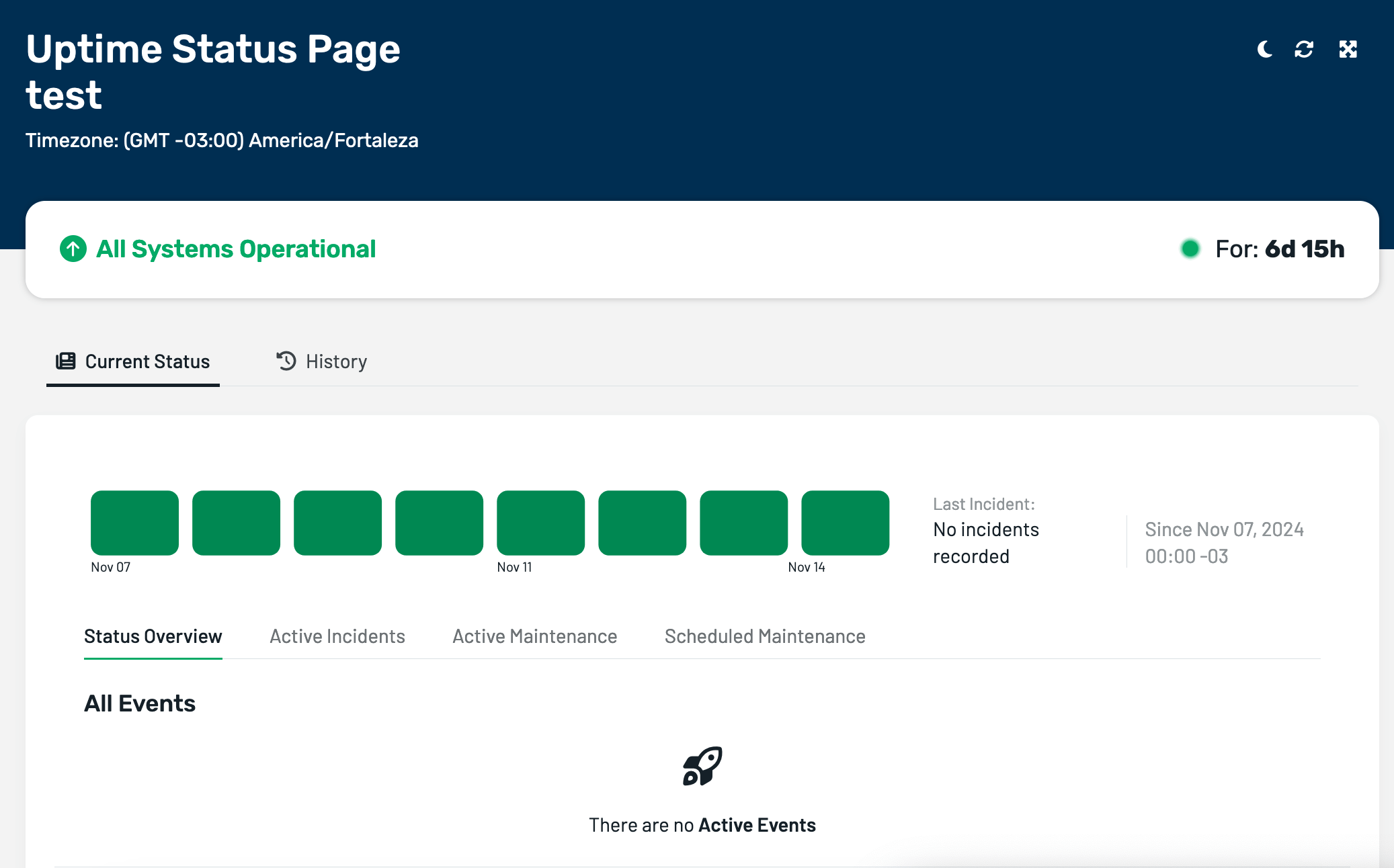
The visualization will dynamically adjust to show the appropriate number of intervals for any custom date range you select. Hovering over any bar will display a detailed pop-up showing downtime information.
For more information on using the Uptime Bar on our Status Pages, please check our documentation.