Share Check Report
Uptime.com have released the option to share a check’s report with external users! Simply navigate to your check’s report page, where you will see the option to Share Report (as long as you have allowed this in your account settings).
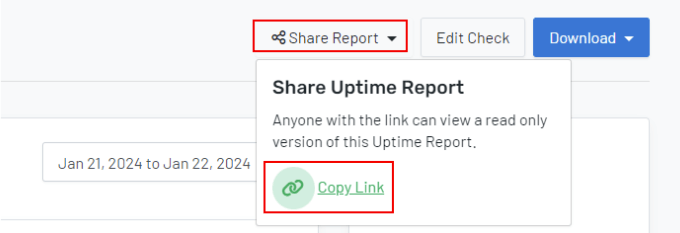
Once shared, this check report will be accessible publicly.
Note: The shared report will only allow access to the reports and not the check settings.
Shared Report API changes
We made corresponding updates to our REST API, where the shared report URL will be generated, and available in the API response.
The parameter of interest will be share_url, and can be found from GET and POST request methods.
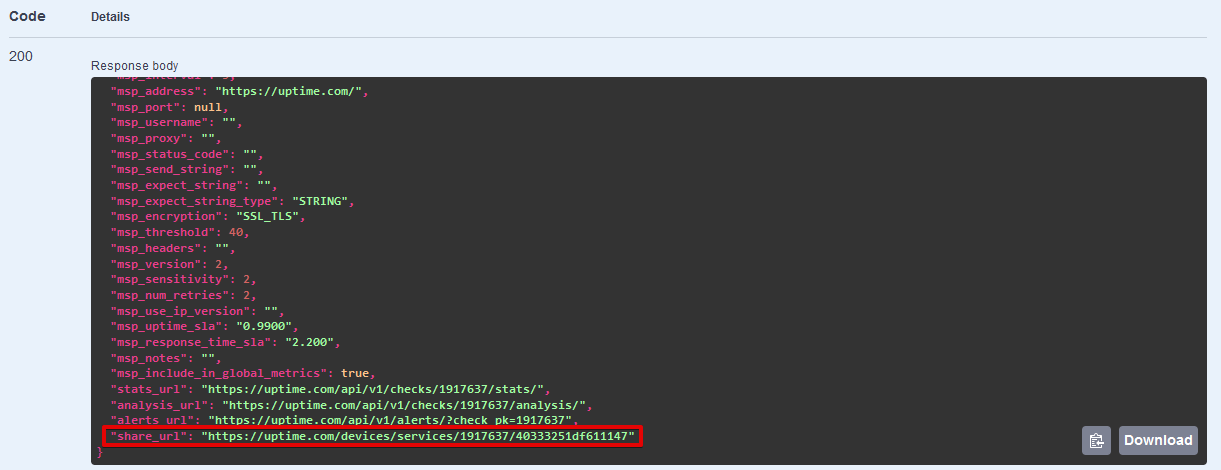
For more information, please check our documentation on Shared Reports.