Added Option to Hide Active Incidents/Active Maintenance/Scheduled Maintenance Tabs When No Events Exist on Status Page
We have now provided the ability to hide active incidents, active maintenance and scheduled maintenance tabs when there are no events present on your Status Page.
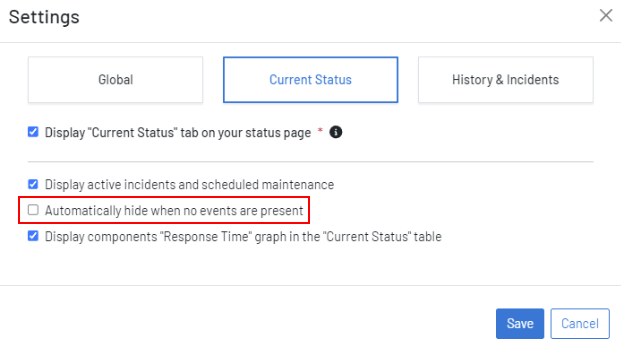
To set this option, navigate to your Status Page settings. Under the Current Status or History & Incidents tab, you will see the option ‘Automatically hide when no events are present’:
Please Note: This option is only available from Uptime NextGenUI.

For more information, please read our documentation on hiding active incidents, maintenance and scheduled maintenance.